Firehose
- DeepWiki and OpenClaw Read more →
If you want to understand a codebase, instead of prompting your agent to burn buckets of tokens, you can use Cognition's DeepWiki service on public code repos on github.
DeepWiki indexes it, provides an overview, and a chat interface for follow up questions.
I wanted to understand more about OpenClaw, so I found the repo, and asked about how the AI agent works
Here's the DeepWiki for OpenClaw
And the short thread where I asked about OpenClaw and the pi SDK
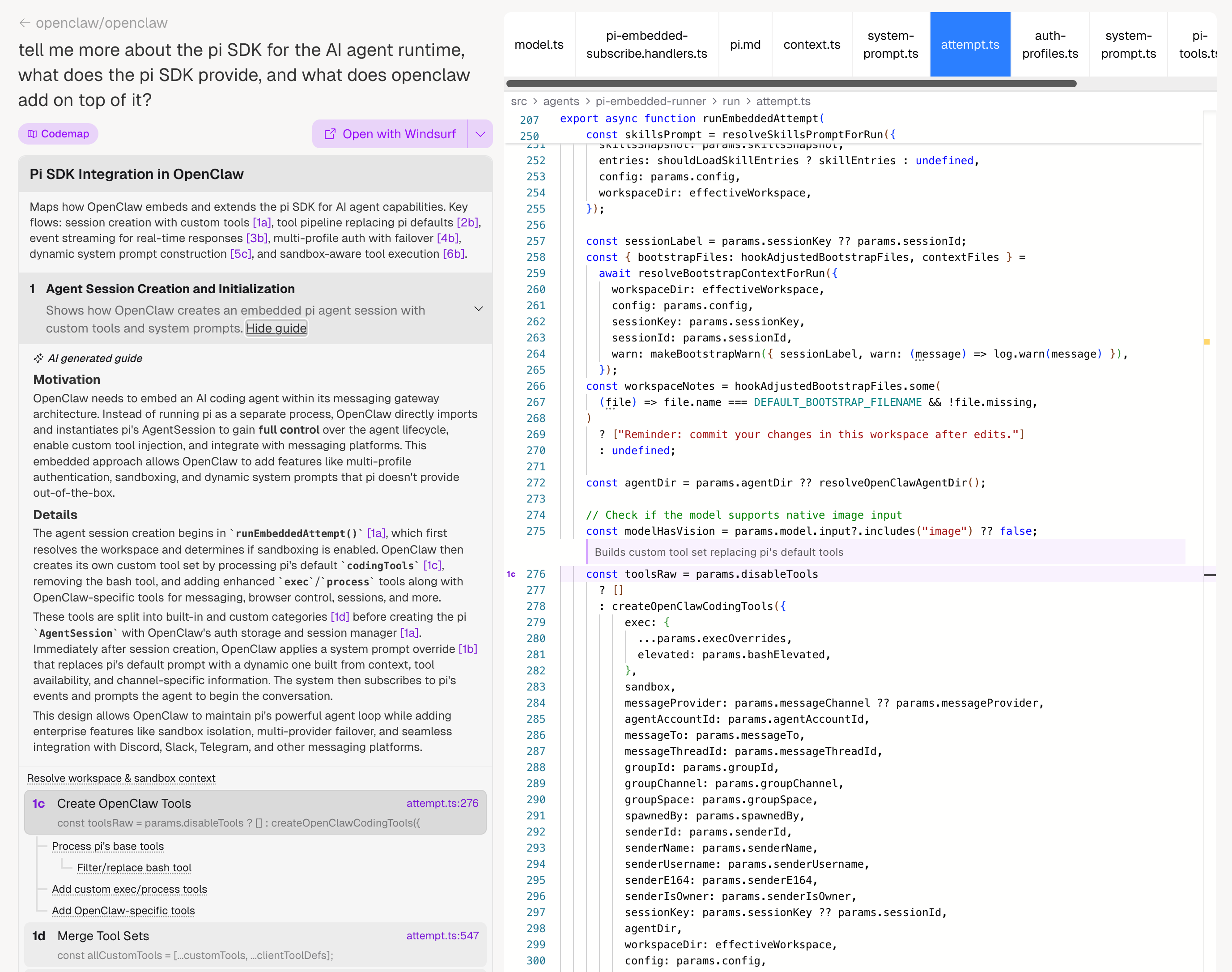
The codemap is an interesting visualization of the relative components. It's a bit dense for me, since I'm not used to reading code, but still legible and interactive.
…
February 17, 2026 at 1:30 AM · deepwiki , openclaw , github , resources
- UX Improvement Prompt Read more →
Here's a prompt to improve the UX and workflow of an app.
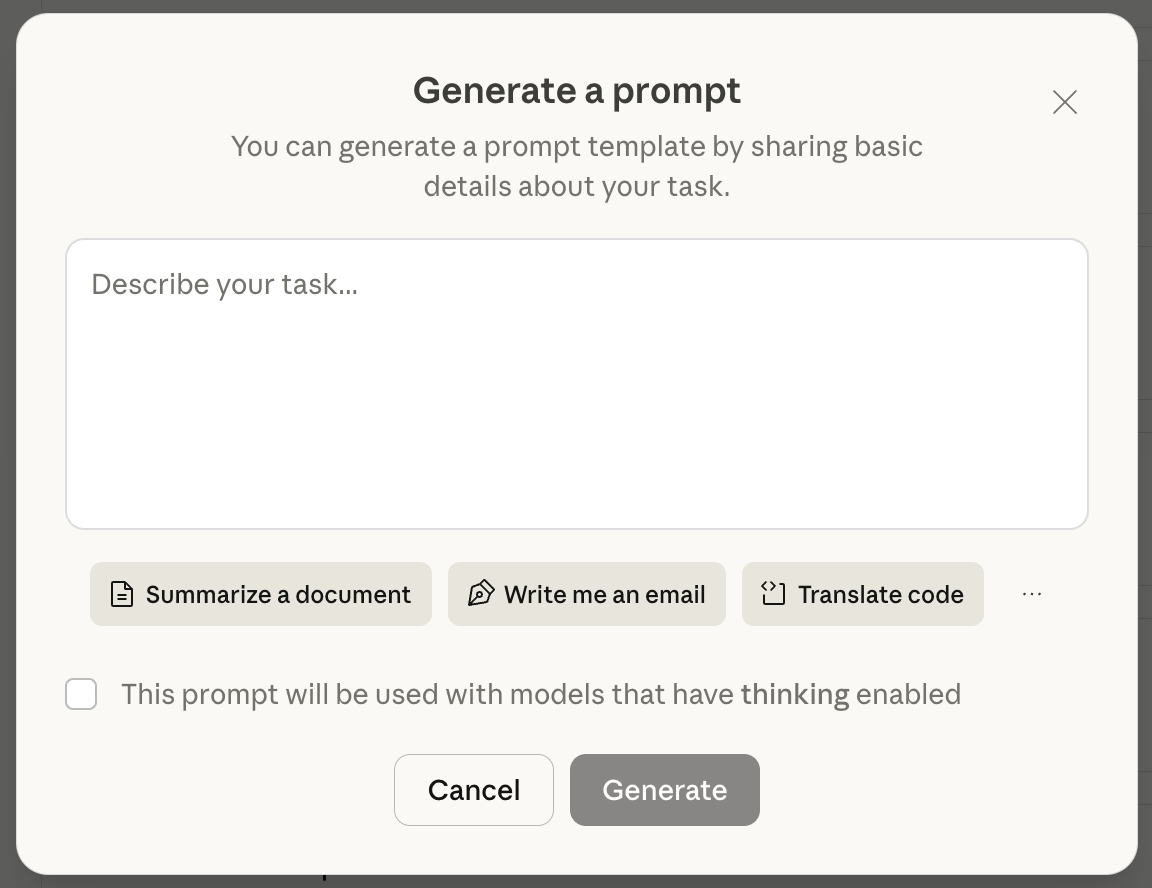
The key part is to prompt the system to think through what information a user needs to see at which point of the workflow. That's essentially what I provided to the Claude prompt improver. You can input any text, then the model returns an improved prompt. It's a free tool you can use to see Anthropic's best practices around prompt generation.
When describing an experience as "intuitive" and "seamless" this is what's happening, the system's workflows match the user's expectations. When there's a mismatch, that's when it's confusing.
Prompt to improve UX flows
You will be analyzing task outputs to recommend improvements for how information should be displayed to users. Your goal is to make the output more useful, intuitive, and user-friendly. … - LLM 101, getting started with LLMs Read more →
A guide for people interested in learning more about LLMs.
- the first thing is: get a chatbot: claude, gemini, chatGPT,
- the second thing is: prototype: AI studio
- the third thing is: github and deploy
- the fourth thing is: get an agent, claude code, gemini CLI, opencode
- Restarting a blog Read more →
tl;dr: I'm restarting a blog. Why? To document my experiments with LLMs and generative AI. During times of change, it's useful to have a sandbox, and a place to reflect.
Why now: LLMs and coding agents make it easy to start and restart a blog. What used to be technical hurdles (understanding template language, setting up a local instance, deploying) can be abstracted away by coding agents.
I want to start a blog, use this framework,
create these templates, deploy it.
Easy peasy.
Why a blog: I've been experimenting with LLMs for the past year. In 2024, I started a newsletter to track the AI news I was coming across. I wrote an issue every day for 365 days and learned a lot about how the industry was changing. Once I hit that milestone, the next thing was building and tinkering. What's the point of writing about all this if I wasn't doing more with it?
…
- Changelog Read more →
2026-02-16
- code blocks: wrap long lines instead of horizontal scroll (
white-space: pre-wrap,word-break: break-word) - images: put in
public/images/, use HTML<img src="/images/...">; documented in template
2026-02-15
- first post, first guest post by LLM
- next: premium or sponsored content? dynamic reading experiences?
Changes implemented
- excerpt: render markdown (not plain text), remove line-clamp so full length shows
- dates: show timestamps when not midnight; optional
timefield in frontmatter (EST) - tags: clickable links to
/tags/[tag]; date + tags on same line at bottom of posts/feed - blockquotes: no italics (easier to read)
- layout:
w-fullon main so tag/static pages match feed width;max-w-noneon prose - pages: About, Resources, Guides as markdown in
src/content/pages/; single[slug].astroroute - nav:
nav: trueandorderin page frontmatter to control which pages appear in header/footer
…
- code blocks: wrap long lines instead of horizontal scroll (
-
Someone has to prompt the Claudes, talk to customers, coordinate with other teams, decide what to build next. Engineering is changing and great engineers are more important than ever.
— Boris Cherny , Claude Code creator, on why Anthropic are still hiring developers
February 15, 2026 · blogging , inspiration
- /// Markdown Formatting Reference Read more →
A Guide to Markdown Formatting
This template shows how all the common markdown elements render in your blog. Use it to tune typography, spacing, and layout.
Headings
Heading 1
Heading 2
Heading 3
Heading 4
Heading 5
Heading 6
Text styling
You can use bold text for emphasis, italic text for subtle stress, and bold italic when you really mean it.
Strikethroughis useful for corrections. Inlinecodestands out for technical terms.Links and references
Inline links appear in the flow of text. You can also add links with titles for extra context. Reference-style links work too.
Lists
Unordered lists use bullets:
- First item
- Second item
- Nested items:
- Indented sub-item
- Another sub-item
Ordered lists use numbers:
- Step one
- Step two
- Step three (numbers auto-increment)
Blockquotes
…
- Astro Documentation
#
Read more →
Great docs for building fast, content-focused sites.